Advanced options
Press the Advanced button on the Security screen to open the popup with advanced security settings.
The Advanced security settings popup gives you additional options that affect accessing, viewing, and editing the database.
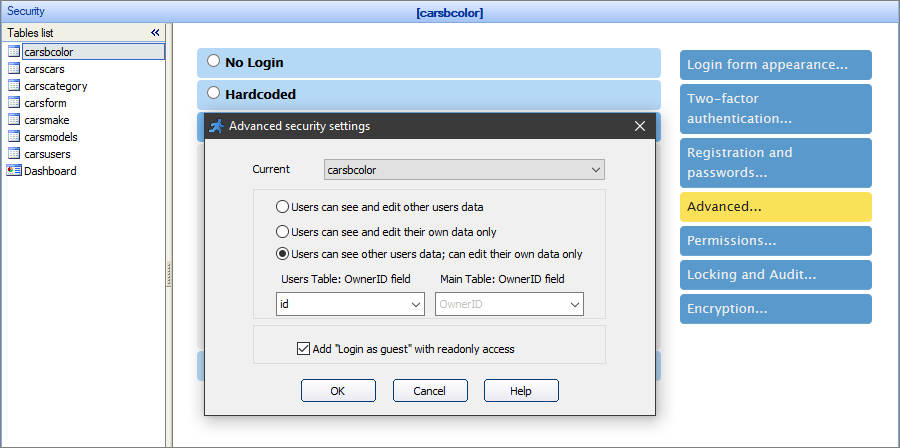
Note: each table in the database can be set up individually, select it in the dropdown at the top of the popup window.
The options are:
Users can see and edit other users data
This is the default option. Every authorized user can view, edit, and delete other users' data.
Users can see and edit their own data only
This option restricts authorized users so that they can view and edit only the records they created.
This option requires you to select the OwnerID fields in the Users table and the current table. The field in the current table stores the ID (when you store usernames/passwords in the Database) or the username (when you select the Active Directory authentication) of the user who created the record.
Note: the field to store the ID needs to be of an integer type.
If you don't have the appropriate field to store the ID/username, you can create it by modifying the table. See Datasource tables to learn more.
Users can see other users data, can edit their own data only
This option is similar to the previous one. However, the authorized users can view the other users' data, but cannot edit or delete it.
This option adds read-only guest access to the generated app. Guests cannot edit, delete or add new records to the database.
In case of Static User Group Permissions you can set "Add 'Login as guest' with readonly access" checkox right on the Advanced Security dialog. In case of Dynamic User Group Permissions you need to set Guest group permissions logging in as an admin to the Admin Area in your application.
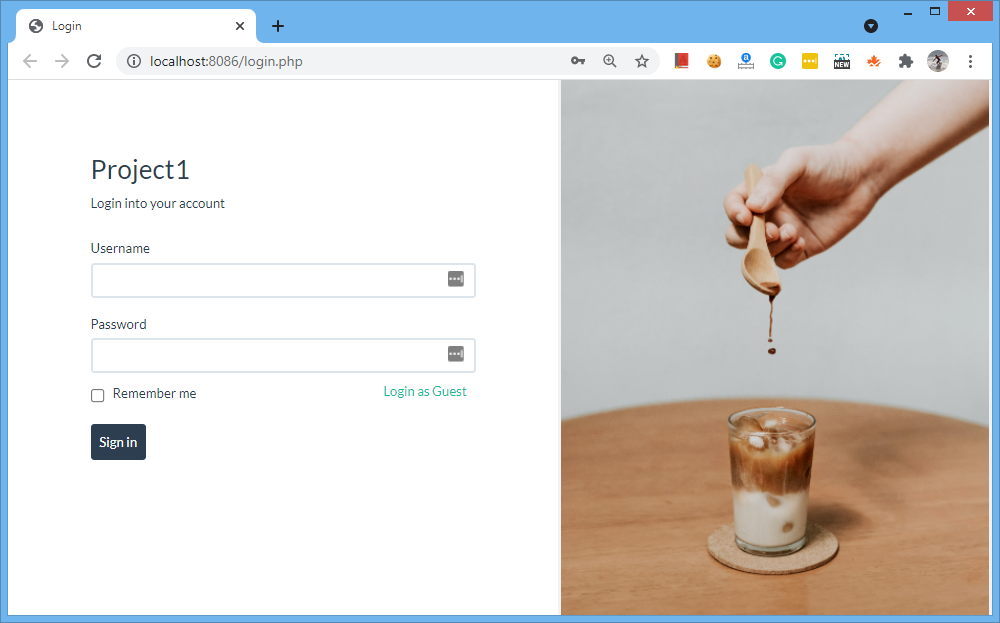
With this option selected, the Login as Guest link appears on the Login screen. Guest users can also proceed directly to any page they have access to, bypassing the login page.
Security screen articles:
•CAPTCHA on authentication pages
See also: