If your MySQL server doesn't allow a direct connection, you can use PHP to connect to it.
Perform the following steps to proceed.
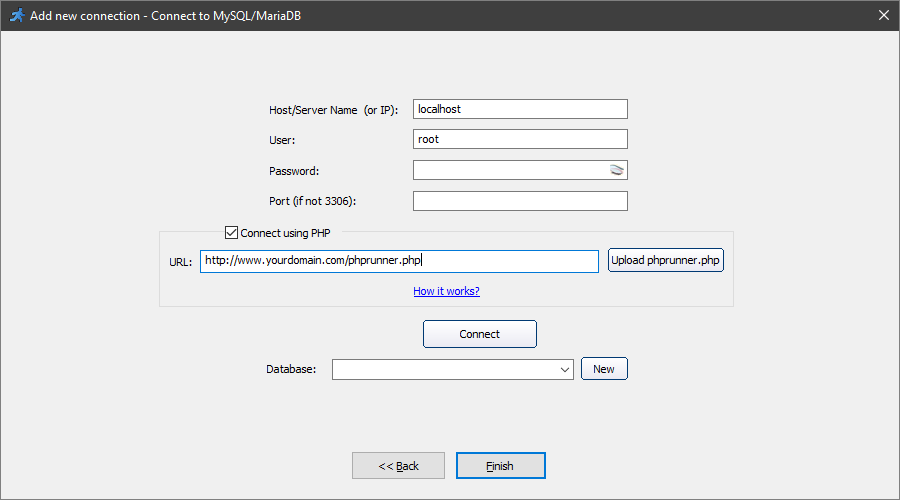
1. On the Connect to MySQL screen enable the Connect using PHP checkbox and upload the connection script phprunner.php to your site manually or by using the "Upload phprunner.php" button. The phprunner.php file can be found in the installation folder, usually in C:\Users\<username>\AppData\Local\PHPRunner112\app-11.2.44044\resources.
2. Test phprunner.php in the browser:
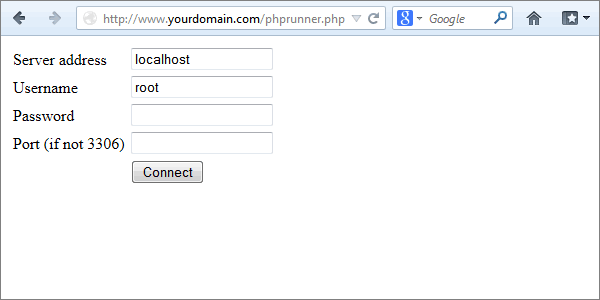
•Open the phprunner.php file in the browser. You can access it at https://www.yourdomain.com/subdirectory/phprunner.php. Use the full path to the uploaded file in the URL instead of yourdomain.com/subdirectory/.
•Type in the Host/Server Name (localhost if your Web and MySQL server are located at the same host), user name, password, and click Connect.
Note: the username and password are encrypted before sending.
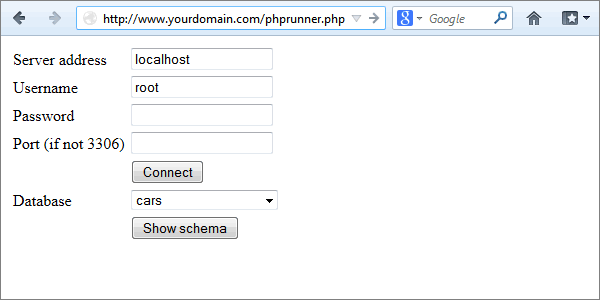
•Select the Database you wish to connect to.
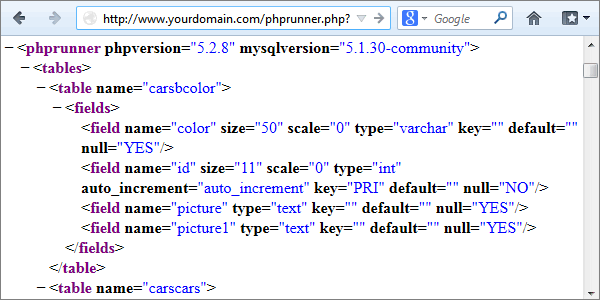
•Click Show schema to get the XML representation of the structure of your database.
3. On the Connect to MySQL screen, enter the URL of the connection script phprunner.php, type in the Host/Server Name, username, password, and click Connect.
Note: the connection settings are the same as the ones you used in the previous step while testing phprunner.php in the browser.
Then select the database and click Next >> (Finish if you are adding a new connection).
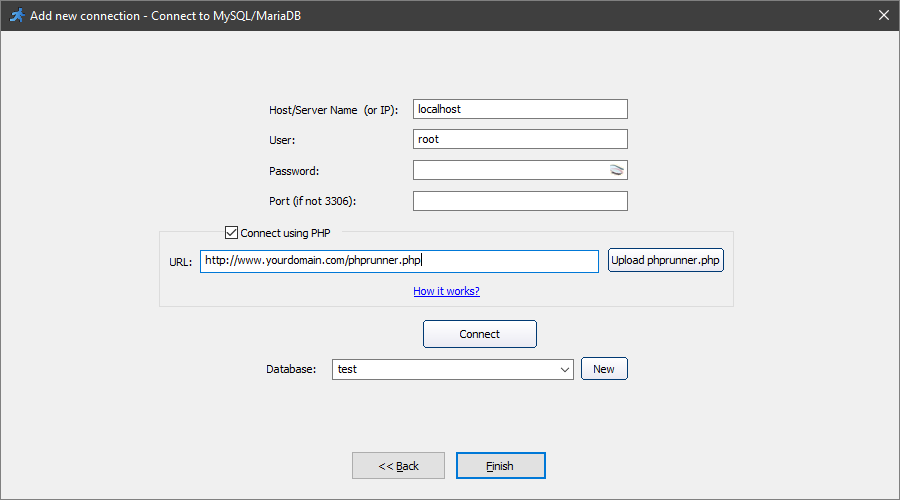
Note: some MySQL servers don't allow getting a list of databases. In this case, you need to type in the database name manually.
After successfully connecting to the database, you can continue configuring the application.
See also:
•Multiple database connections