Quick jump |
PHPRunner comes with a built-in AJAX-based functionality:
•You can easily search for information with a Google-like auto-suggest feature.
•If you want to see the details records, you can mouse over the link, so you don't need to proceed to the Details page.
•You can choose an option from a lookup-enabled field. The options are refreshed each time you type something into the text box. Web pages with AJAX-driven dependent dropdown boxes are loaded faster.
This feature is similar to Google search suggestions; it makes your generated app more user-friendly.
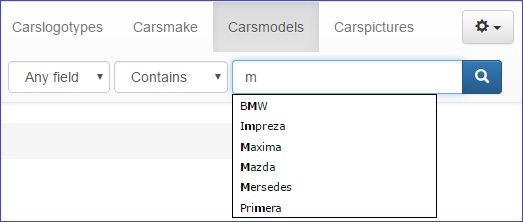
To see how it looks like, begin typing in the search box. The picture below demonstrates the search suggest feature on the Basic search page:
On the Advanced search page, the search suggestion looks like this:
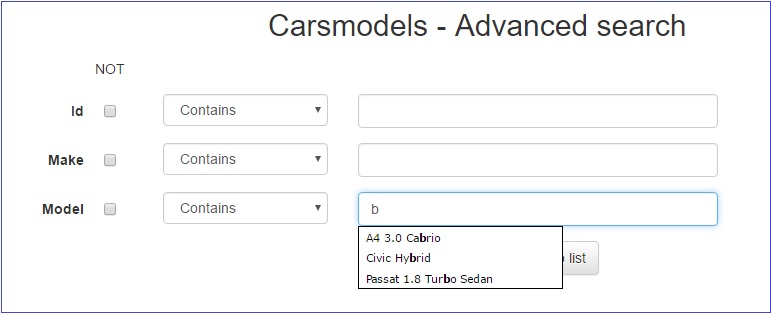
The Auto-Suggest feature comes in two versions. By default, the search suggestion results include all values which contain the search phrase. If you want the suggestion to show only the values beginning with the search phrase, you should add the following code to the AfterAppInit event:
$suggestAllContent = false;
Note: if a field is hidden/not shown on some page (List/View/Add/Edit/Export), then the field values do not appear in the search suggestion results. This is done to secure confidential data like passwords and credit card numbers.
AJAX-based dependent dropdown boxes
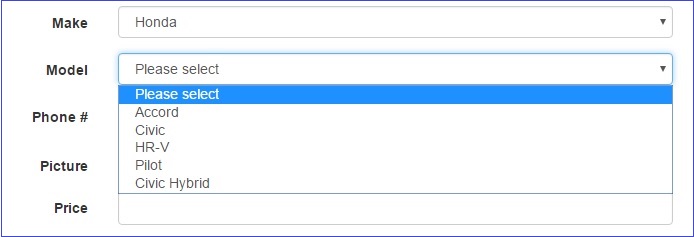
In PHPRunner, dependent dropdown boxes are AJAX driven. The content of the dropdown boxes is loaded in real-time using AJAX technologies instead of loading all the content upon the initial opening of the web page. This means web pages are loaded faster.
In PHPRunner, you can see the details records preview directly on the List page. All you need to do is to mouse over the link. The following picture demonstrates how the details preview looks like:
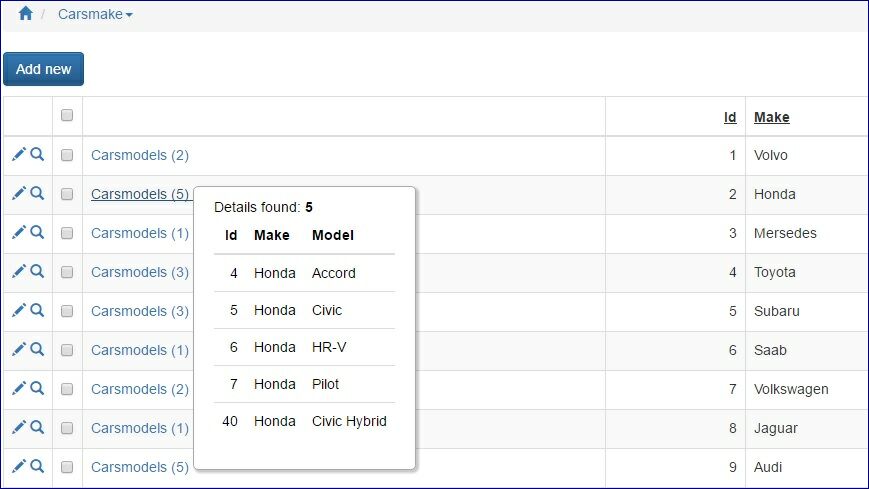
The number of records in the details preview is limited. Only the first ten details are displayed. If there is an image in the details, then only the first five details records are displayed.
For more information about how to enable the details records preview, see Master-details relationship.
Lookup wizard as an Edit box with AJAX popup
This feature is added to facilitate searching through a large amount of data. You can choose a value from the AJAX popup which is refreshed each time you type in the text box, instead of searching through all the values in the dropdown boxes.
To turn on this feature, you should select the Edit box with AJAX popup checkbox on the Edit as: Lookup wizard settings tab of the selected field.
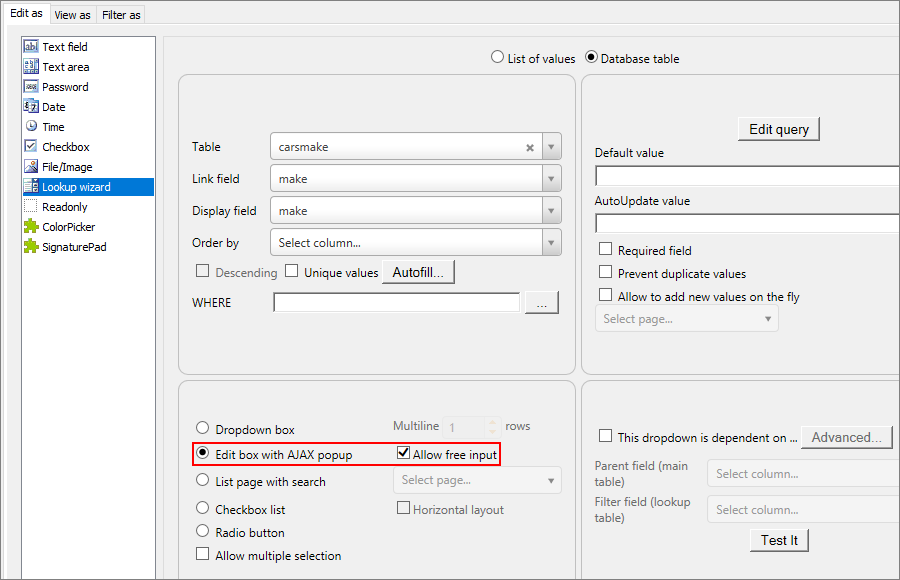
After you build your project, you can see how it works on the Edit, Add, and Search pages. When you begin to type in the Edit box, an AJAX popup appears, and you can choose the value from the suggest list.
Note: if you type in the value that doesn't exist in the database and click away, the border of the text box changes color to red. When you correct the value, the border changes back.
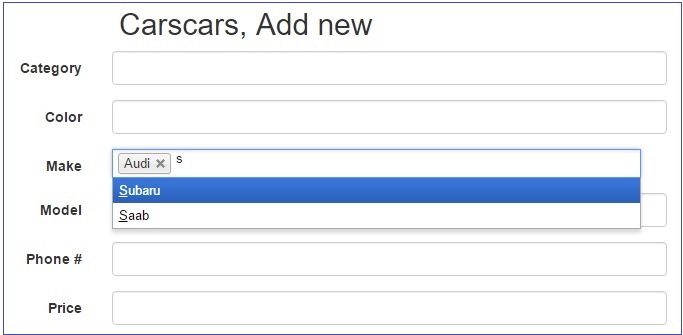
By default it performs STARTS WITH search. For instance, when you enter co, it will show Corolla. If you want to change this behavior and return both Corolla and Accord add the following code to the AfterAppInit event:
$ajaxSearchStartsWith = false;
If you try to submit the form with a wrong value entered in the text box, the form is instead submitted with the previous correct value entry.
AJAX-based pagination/sorting/search
This option enables AJAX search, pagination and sorting that allows updating data without reloading the entire page.
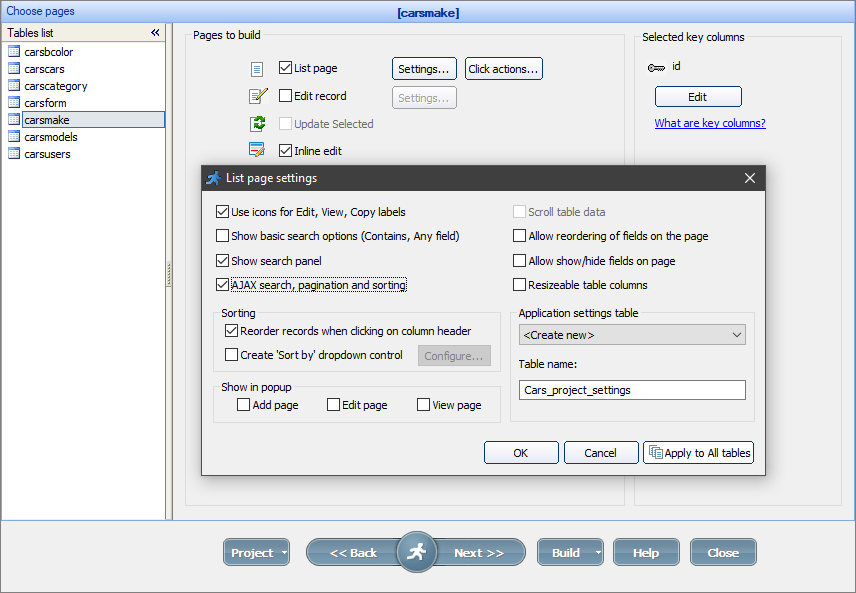
To turn this feature on, proceed to the Choose pages screen and click the Settings button next to the List page checkbox. Then select the AJAX search, pagination and sorting checkbox.
See also: